

Call Us:
(03) 7037 0931
M-F 9am to 5pm

The way we play chess is evolving fast, and the dgt chess board is leading the charge. From club matches to online games at home, these boards are changing how Aussies learn and compete.
This guide is packed with expert tips and practical advice to help you get the most out of your dgt chess board in 2026.
You'll discover the different board types, simple setup steps, how to link up with your favourite chess platforms, and the best ways to care for your gear.
Ready to upgrade your chess experience? Dive in for the ultimate dgt chess board guide, with step-by-step walkthroughs and pro tips.
Ever wondered what makes a dgt chess board so different from the regular boards you grew up with? The answer is pretty cool. DGT stands for Digital Game Technology, a company that's been shaking up the chess world since the late 1990s. Their boards have become the gold standard for digital chess, trusted by clubs, pros, and organisers everywhere.

A dgt chess board is an electronic chess board packed with sensors that can detect every move you make. Unlike a standard wooden or plastic board, a dgt chess board records your games automatically, making it easy to replay, analyse, or even broadcast your matches live. These boards were first introduced to help tournament organisers keep accurate records and share games with fans in real time.
Over the years, DGT has built a strong reputation in the global chess community. Their boards are used at everything from local Aussie chess clubs to world-class tournaments. In fact, many top events rely on DGT boards for live broadcasts and official game recording.
There are a few main types of dgt chess board out there, each with its own vibe:
| Model | Key Feature | Best For |
|---|---|---|
| Smart Board | Wired/wireless, club tournaments | Clubs, events |
| Pegasus | Bluetooth, LED move indicators | Online/home play |
| e-Board | Classic, robust tournament use | Pros, organisers |
| Centaur | Adaptive AI, easy setup | Learners, casual play |
You'll spot dgt chess board models like the Smart Board at major chess tournaments, where they handle live broadcasts and official scoring. The Pegasus is popular for online play, letting you connect with global opponents without a screen. The e-Board is a favourite for clubs needing reliability during intense competitions.
DGT boards are approved by FIDE (the world chess federation), so they're used in official events alongside FIDE-approved clocks like the DGT2500. Whether you're a club player, an online enthusiast, or just want to train at home, there's a dgt chess board that fits your style. If you're curious about the latest options, check out the Electronic DGT Chess Boards Collection for a full lineup.
So, what sets a 2026 dgt chess board apart from the rest? It all starts with sensor-based move detection. Every time you pick up a piece, the board knows exactly what's happening, so you never miss a move. This tech is a game changer for live recording and analysis.
Wireless connectivity is now standard. Most dgt chess board models feature Bluetooth and USB support, making it a breeze to link your board with your laptop, tablet, or phone. The official DGT Chess app lets you pair your board, find opponents, and sync with platforms like Chess.com or Lichess in just a few taps.
LED move indicators are another standout. The Pegasus, for example, uses pulsing LED rings around each square to show you where your opponent just moved, so you never lose track. This makes screen-free online play totally possible and surprisingly engaging.
Game recording is simple. The board creates a PGN (Portable Game Notation) file for every match, which you can share, review, or send to your coach. The design of each dgt chess board also matters. You can choose from wooden classics (like boxwood, ebony, walnut) to modern plastic builds, all designed for comfort and durability.
One cool example: the Pegasus board lets you play online without ever looking at a device. The LED alerts guide your moves, and all the action happens right on the board. It's like blending the feel of classic chess with the power of the digital age.
No matter your level, a dgt chess board puts pro-level features at your fingertips, making every game more fun and interactive.
Setting up your dgt chess board for the first time? Don't worry, it's easier than you might think. Whether you're unpacking your board at home or preparing for your first online match, this step-by-step guide will help you get started smoothly. Let's break it down together.
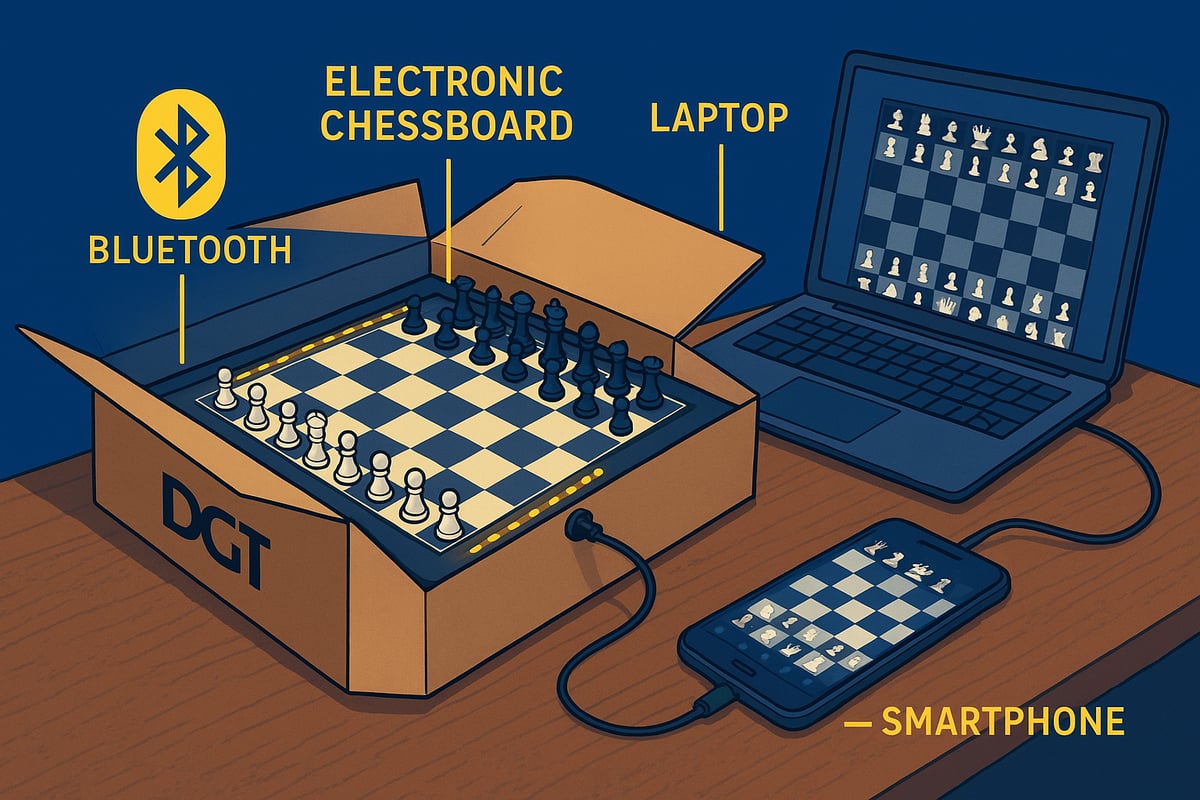
When you open your dgt chess board box, you'll find everything you need to get started. Most kits include the board, a full set of pieces, charging cables or USB cords, and a quick-start manual. Some models, like the Pegasus, also come with a dedicated USB charger for easy power-ups.
Start by placing your dgt chess board on a flat, stable surface. Arrange the pieces in their standard positions, just like a traditional board. Connect any required cables, or, if you're using a wireless model, ensure your board is charged before playing.
Here's a simple checklist for unboxing and assembly:
For example, the DGT Pegasus features a slim 35 x 35 x 1.9 cm board and a USB charger, making setup quick and portable. If you want more details about this model's features and setup, check out the DGT Pegasus Chess Set Features page.
Once your dgt chess board is charged and pieces are set, you're ready for the digital age of chess.
Now it's time to connect your dgt chess board to your favourite devices. Start by downloading the official DGT Chess app on your smartphone, tablet, or computer. The app guides you through pairing via Bluetooth or USB, depending on your board model.
Follow these steps for a smooth connection:
Once paired, you can link your dgt chess board to platforms like Chess.com or Lichess for online play. If you run into trouble connecting, check that your board is fully charged and your device's Bluetooth is enabled. Restarting both the board and the app often solves most first-time connection issues.
Picture this: you're sitting at your kitchen table, board connected, and within moments, you're matched with an opponent from across the globe. The setup is that simple, and the possibilities are endless.
Personalising your dgt chess board makes a big difference, especially if you play in clubs, at home, or online. Dive into the app settings to customise LED indicators, notification sounds, and game recording preferences.
Here's what you can tweak for the best experience:
For instance, if you're playing in a bright club room, increasing LED ring brightness ensures you never miss a move alert. These settings let you tailor your dgt chess board to your playing style, making every match feel just right.
With your dgt chess board fully set up, connected, and customised, you're all set to enjoy seamless, modern chess play.
Chess is getting a serious digital upgrade, and the dgt chess board is right at the heart of it. Whether you’re a club player, an online warrior, or just love a good home game, integrating your board with top chess software and platforms unlocks a world of new features. Let’s break down how these boards connect, what you can do with them, and how to get the smoothest experience possible.

The dgt chess board is designed to work with a huge range of chess software, making it a breeze to plug into your favourite digital tools. You’ll find compatibility with:
Live broadcasting is a standout feature. With a dgt chess board, every move is detected and sent directly to your chosen platform, so you can stream games in real time or keep detailed records without lifting a finger. For example, at major tournaments, DGT Smart Boards are used to broadcast live games for fans worldwide.
Automated move recording means you won’t miss a beat. The board senses every move, so you get accurate, hands-free records for later review or sharing. Whether you’re playing at home or in a club, this makes analysis and learning so much easier.
Online play with a dgt chess board feels natural and intuitive. Connecting your board to Chess.com or Lichess is straightforward, especially through the DGT Chess app. You can pair your board via Bluetooth or USB, then link up with your favourite online community.
One of the coolest features is screen-free play. Boards like the Pegasus use LED rings to show your opponent’s moves, so you can focus on the board instead of a screen. It’s as close as you’ll get to an over-the-board game, even when your opponent is halfway around the world.
Want to know exactly how to connect your dgt chess board to Chess.com? Check out the official DGT Chess Board Integration with Chess.com guide for step-by-step instructions and troubleshooting tips.
Every game played on a dgt chess board is automatically saved in PGN format, ready for in-depth analysis. You can export your games, share them with a coach, or upload them to your favourite analysis tool.
Here’s how it usually works:
This workflow is perfect for clubs and serious players. For example, after a tournament on a DGT e-Board, you can quickly review key moments, spot blunders, or explore alternative lines. It’s like having a personal chess coach in your pocket.
The dgt chess board is a staple in tournaments across Australia and worldwide. With FIDE approval, models like the DGT Smart Board and DGT e-Board are trusted for accurate timing and move recording.
Clubs can connect multiple boards together, allowing for real-time results and live broadcasts. This is fantastic for both players and spectators, as every move is updated online instantly.
Here’s a quick setup checklist for club or tournament play:
For example, many clubs use DGT boards to keep members engaged and let friends and family follow along online.
Even the best tech can have hiccups. Common issues with the dgt chess board include Bluetooth pairing problems, app crashes, or software updates not installing correctly.
Here’s what you can do:
Australian users can also reach out to local suppliers for fast help if hardware issues pop up. With these tips, you’ll keep your dgt chess board running smoothly, whether you’re at home, online, or in a tournament.
Taking care of your dgt chess board is the secret to keeping it running smoothly year after year. With a little TLC, you can extend its lifespan, avoid annoying hiccups, and keep every game feeling fresh. Let’s dive into the simple steps that’ll make your board last and play like new.
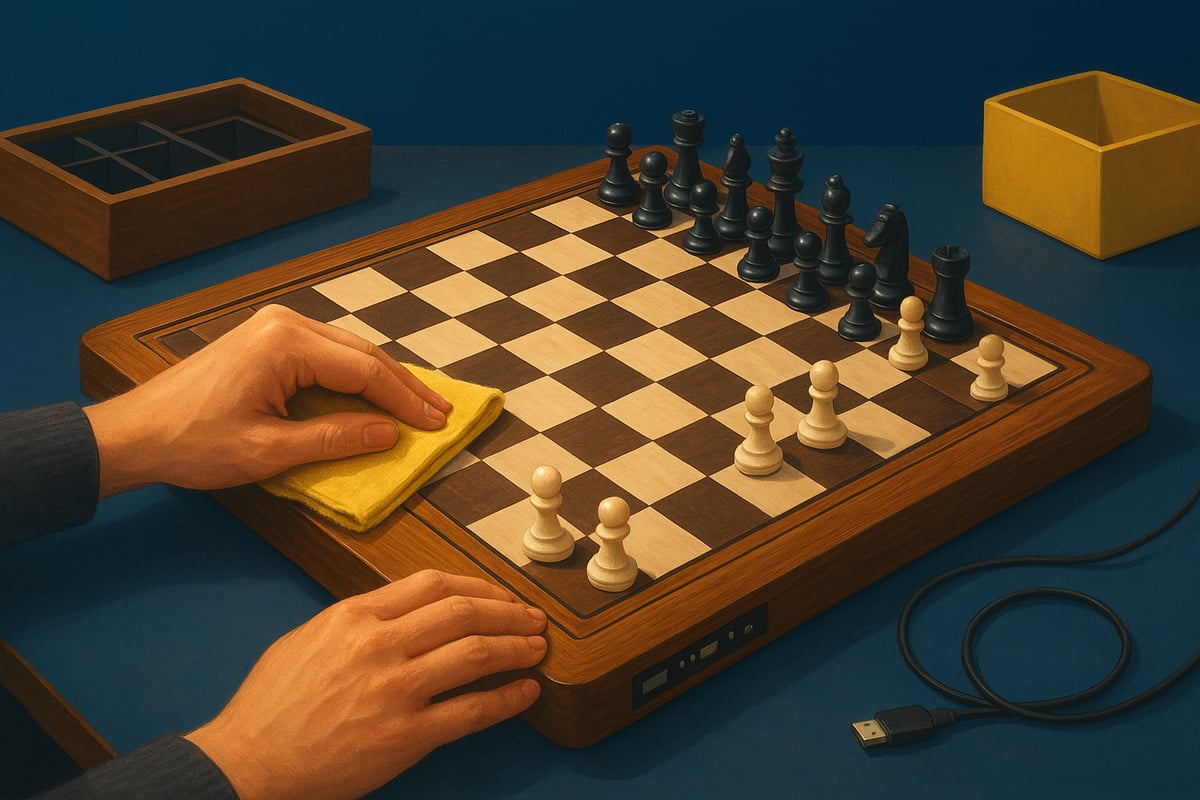
Keeping your dgt chess board clean isn’t tricky, but a few basics go a long way. For wooden boards, use a soft, dry cloth to wipe away dust and fingerprints. If things get sticky, a slightly damp cloth (no harsh chemicals) does the trick. Plastic boards are even easier, just a quick wipe with a gentle cleaning solution is fine.
Store your board and pieces in a cool, dry spot. Use a padded bag or box if you’re travelling or storing it for a while. Always unplug cables carefully and avoid yanking connectors, as sensors and plugs can be delicate.
A little care prevents scratches and keeps your dgt chess board looking sharp, whether you’re playing at home or bringing it to club night.
Bluetooth-enabled dgt chess board models like the Pegasus need regular charging. Plug in the USB charger after long sessions, or top up every few weeks if you play less often. Most boards have a handy LED to show charging status, so you’ll never be caught off guard.
Batteries usually last for years, but if you notice shorter play times, it might be time for a replacement. Stick to official chargers and cables for both safety and performance. Power saving settings can help, especially if you’re running a busy club tournament or just want to squeeze in extra games.
A well-charged dgt chess board means no interruptions during intense matches.
To get the most from your dgt chess board, keep its firmware and companion apps up to date. Updates roll out new features, fix bugs, and make sure your board stays compatible with the latest platforms.
Check for updates using your board’s app or manufacturer’s website. Most updates are simple, just a few taps or clicks. Regularly updating means you’re always ready for new chess adventures and won’t miss out on improvements.
A current dgt chess board is a happy one, and you’ll notice smoother connections and smarter functions.
Lost a pawn or had a cable go missing? No worries. Most dgt chess board pieces and parts can be replaced without drama. Look for official spare parts from Australian suppliers to make sure everything fits and works as it should.
If your board needs a fix, check your warranty first, then reach out to authorised repair services. Many issues, like sticky sensors or loose connectors, can be sorted quickly with the right parts.
Keeping your dgt chess board in top form is all about using the right spares, handling repairs promptly, and knowing your support options.
Ready to get more from your dgt chess board? Whether you’re playing at home, battling in a club, or squaring off online, these pro tips will help you unlock every feature. Let’s dive into some practical ways to personalise, analyse, and future-proof your experience.
Your dgt chess board isn’t just about playing games, it’s about making the experience your own. Start by tweaking the LED settings to suit your space—dim for late-night study, bright for club events. Try experimenting with different piece sets, like swapping standard pieces for weighted or themed ones. This adds a fresh vibe to your matches and can even influence your focus.
If you’re using a DGT Pegasus, check out the DGT Pegasus Features and Specifications to see how you can adjust move alerts and LED rings for a truly screen-free session. Customisation lets you create the perfect setup for blitz, classical, or casual games. Don’t be afraid to play around and see what feels best—your board, your rules.
A dgt chess board shines when it comes to improving your game. Record every move automatically and export PGN files for deep dives with analysis software. Tools like ChessBase and Fritz let you replay your matches, spot blunders, and explore alternative lines. This is gold if you’re keen on levelling up or working with a coach.
Set up practice games and use the board’s real-time move detection to get instant feedback. After a tough match, load up your PGN and review key moments. Even solo training becomes more engaging when your dgt chess board tracks every move, helping you stay honest and focused. Consistent review is the secret sauce for improvement.
Running a club night or tournament? Your dgt chess board makes it a breeze. Set up multiple boards for simultaneous games and connect them to tournament management software for real-time results. Live broadcasting is simple—spectators can follow every move online, making club events feel like pro tournaments.
Using accessories like the FIDE-Approved DGT 2500 Chess Clock ensures accurate timing and FIDE compliance for serious play. Many Australian clubs use DGT Smart Boards to streamline events, cut down on manual recording, and boost the excitement for players and fans alike.
Want to get the most from online matches? Your dgt chess board lets you connect with global opponents while keeping your focus on the physical board. Use the LED indicators to follow moves—no need to stare at a screen. This helps you stay in the zone and reduces digital distractions.
Try setting up your space to mimic tournament conditions, even when online. Use a chess clock and keep your device out of sight. With features like Bluetooth pairing and app integration, you can play seamlessly on platforms like Chess.com or Lichess. Immersive, screen-free online chess is now a reality.
Every dgt chess board can run into hiccups, but most issues are easy to fix. If you’re struggling with Bluetooth connections, try re-pairing your device and checking for software updates. For move detection glitches, clean the board and pieces gently—dust can mess with sensors.
If problems persist, reach out to DGT official support, your Australian reseller, or check online forums for quick fixes. Many users share solutions for common issues like app crashes or LED errors. Keeping your board’s firmware and apps up to date prevents most headaches before they start.
The dgt chess board is always evolving, with new features and updates rolling out regularly. Stay ahead by subscribing to DGT newsletters and following chess tech news. This way, you’ll be first to know about compatibility updates with major platforms or cool new functions.
Make it a habit to check for firmware and app updates every couple of months. Regular updates mean you’ll enjoy smoother play, better integration, and future-proof features. As online chess and smart boards keep growing, investing a little time in updates ensures your dgt chess board stays your favourite chess companion for years to come.
Choosing the best dgt chess board can feel like picking a new car. There are plenty of options, each with their own quirks and strengths. Whether you’re a weekend player or a club organiser, we’ll help you find the perfect fit.
Let’s break down the most popular dgt chess board models, so you don’t have to wade through endless specs.
| Model | Connectivity | Material Options | Main Features | Typical Price (AUD) |
|---|---|---|---|---|
| Smart Board | USB, Bluetooth | Wood, Plastic | Tournament, club use | $650+ |
| Pegasus | Bluetooth | Plastic | App play, screen-free | $399–$499 |
| e-Board | USB, Bluetooth | Wood | Live broadcast, FIDE use | $700+ |
| Centaur | Standalone | Plastic | Adaptive AI, easy setup | $650–$717 |
The Smart Board and e-Board are popular with clubs and tournament players, thanks to their robust build and FIDE approval. Pegasus is a hit for casual and online play, while the DGT Centaur Chess Computer Overview is perfect for those who want a smart, adaptive challenge without needing a PC.
Each dgt chess board model has a unique vibe. Some are about hardcore competition, others are just plain fun.
So, which dgt chess board suits your style?
Picture yourself at home, learning with the Centaur, or running a club match on an e-Board. The right dgt chess board really depends on how and where you play.
When shopping for a dgt chess board in Australia, a few things matter more than just the board itself.
With over 22,000 happy shoppers, Aussie chess retailers are stepping up their game. Plus, the FIDE and DGT Partnership Extension means official DGT products are here to stay in major tournaments.
A dgt chess board is just the start. Accessories can level up your experience.
These extras make your dgt chess board feel truly yours.
Local clubs are loving their dgt chess board setups. Weekly tournaments in Sydney and Melbourne now feature Smart Boards for live streaming and instant results.
Online players rave about seamless play with Pegasus, saying it feels almost like sitting across from a real opponent. Beginners talk about how Centaur’s adaptive play keeps them motivated and learning.
Feedback is clear: a dgt chess board brings a more immersive, connected, and satisfying chess experience.
Before you buy, here’s a quick checklist:
The perfect dgt chess board is one that fits your goals, style, and budget. Take your time, ask around, and make sure you choose a board that’ll keep you inspired for years to come.
Leave a comment